How to keep a roster with renewal reminders
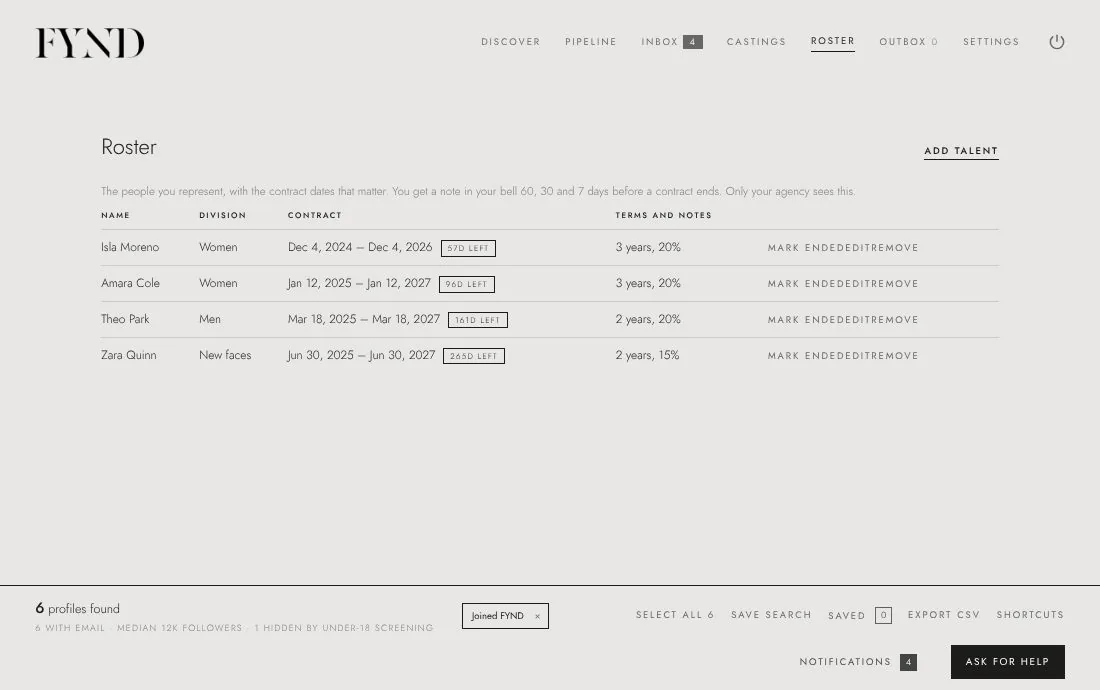
The Roster tab holds the people you represent with the contract dates that matter. You get a reminder in your bell 60, 30 and 7 days before a contract ends.
Steps
- Open the Roster tab.
- Choose Add talent, or open a profile and choose Add to roster.
- Enter the contract Details and dates, for example the length and the split.
- Look at the bell at the top: you get a note 60, 30 and 7 days before a contract ends.
- To bring in people you already represent, open Settings and use Existing talent and do-not-contact to import a list.
Good to know
- Only your agency sees the roster.
- The free plan includes 10 people on the roster; Agency Pro removes the limit.